
WordPress permalink settings control the URL structure used for posts and archives. Choose a structure when setting up a website, or plan redirects before changing the structure of an existing site.
Review the impact
Record the current structure and take a backup. Changing live URLs can break bookmarks, internal links and links from other websites. Do not assume every old URL will redirect automatically.
Change permalink settings
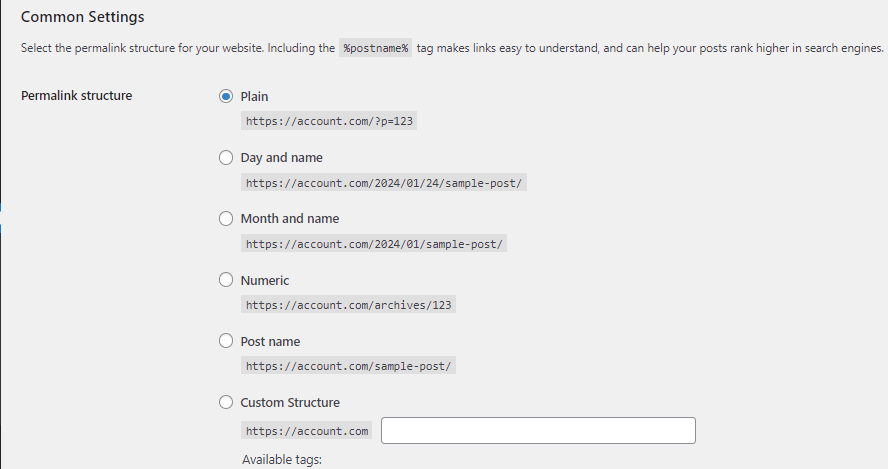
- Open WordPress > Settings > Permalinks with an administrator account.
- Choose a common structure or enter an appropriate Custom Structure. Post name produces readable title-based URLs, but choose according to the site’s requirements.
- Review the optional category and tag bases if these need changing.
- Click Save Changes.
- Test posts, archives, pagination and any planned old-to-new redirects.
Available behaviour depends on server rewrite support and plugins. If URLs produce errors, check the rewrite configuration with your provider rather than repeatedly changing the structure.