This guide will walk you through the process of creating a new email account for a domain in cPanel.
To create a new email account for a domain in cPanel, follow these steps:
- Log in to your cPanel account.
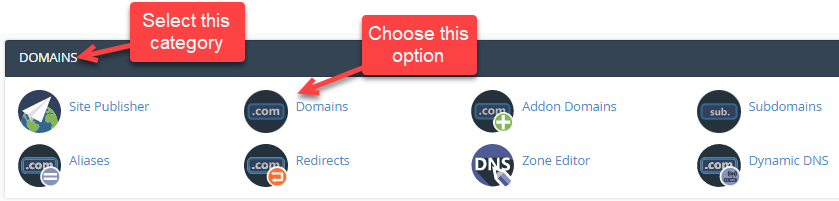
- Select the “Domains” category.
- Then select the “Domains” sub-option under it.
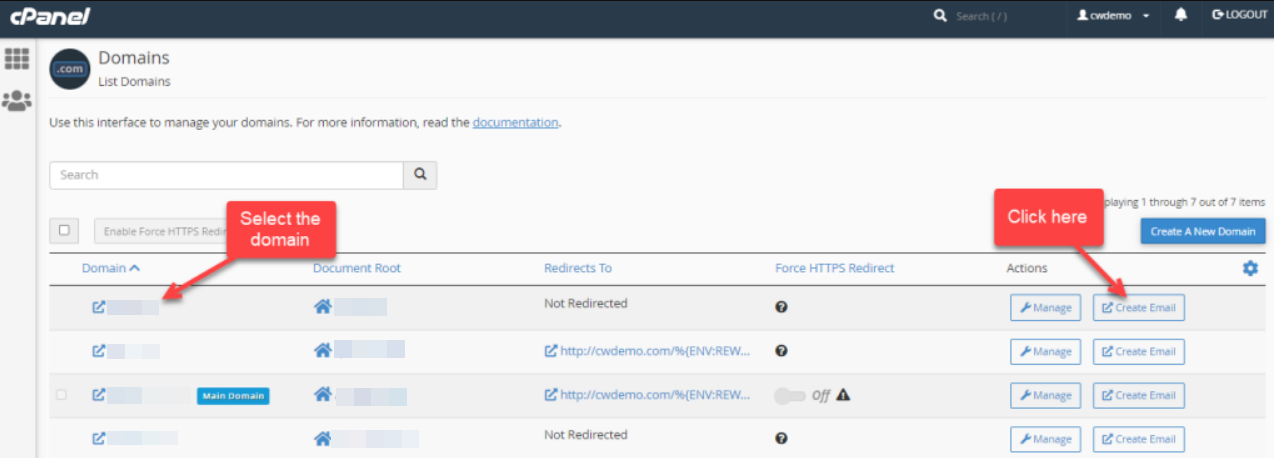
- Select the Domain and click on the “Create Email” button.
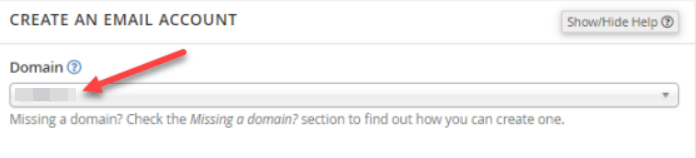
- You will enter into a new page where you will have to fill in the information.
- Select the “Domain” using the drop-down arrow.
- Enter the “Username”.

- Enter the password, or you can select the generate button. (Password should have a strength of 100).

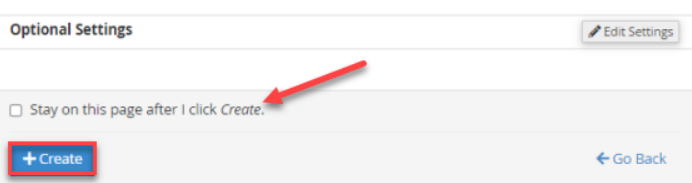
- If you wish to stay on the same page after creating the account, you can tick the box “Stay on this page after I click Create”.
- Click on the “Create” button.
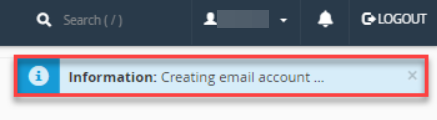
- You will get a message that it is creating an email account.
- Finally, you will get a success message.

- You can view the account as shown below.

We sincerely hope that you have understood how to create a new email account for a domain in cPanel. If you get stuck anywhere in this process, you can just contact our support staff, and they will help you at any time.