This tutorial will show you how to optimise website Content in cPanel. Apache permits you to compress content before sending it to the visitor’s browser. Let us find out how to do it:
- Log in to the cPanel account.
- Select the “Software” section.
- Click on the “Optimise Website” option.

- You will find three options under the “Compress Content” section. Those are:
- Disabled
- Compress All Content
- Compress the specified MIME types.
- By default, “Disable” is selected.
- It is always better to compress everything. So select the second option, “Compress All Content”.
- Then select the “Update settings” button.

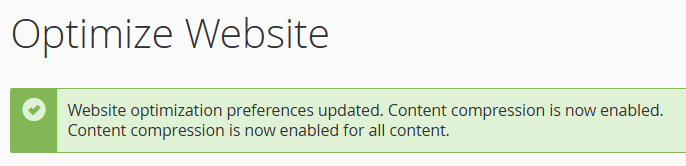
- You will be notified with a success message.
Thus, optimising website content in cPanel can improve your site’s performance. Also, user experience can be enhanced by organising content efficiently and effectively. For even better results, you can optimise your WordPress database with phpMyAdmin, which will help further improve your site’s speed and reliability.
So, how was our tutorial? Wasn’t it helpful! We guarantee to be there for you at any time in your life. Webhosting UK specialists are willing to help, but you must first contact them.