This guide explains how to configure security policies in WHM to ensure your server meets compliance and security standards.
Follow the steps:
- Log in to your WHM account using root credentials.
- In the WHM search bar, type “Security Center” and click on it.
- Click “Configure Security Policies”.
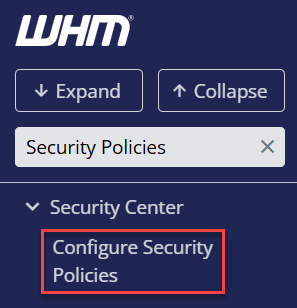
- Review the list of available security settings and their descriptions.
- Configure the policies according to your compliance requirements (e.g., password strength, FTP restrictions, SSH access, account suspensions).
- Save changes after making adjustments to enforce the selected security policies.
- Test key accounts and services to ensure the policies are working without causing disruption.
- Regularly review and update security policies to maintain compliance with current standards.
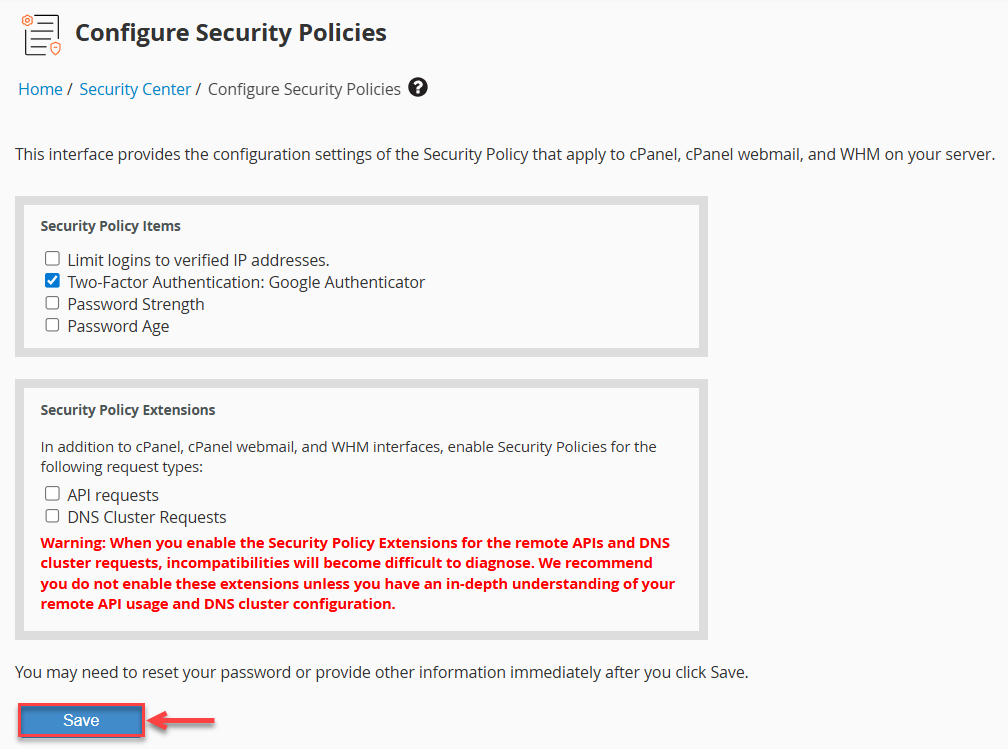
This way, you can configure security policies in WHM for compliance.
Want to improve website compliance too? Learn How to set up privacy policy page on your WordPress based website