This article will help you know what Hotlink Protection is and how you can enable it using cPanel.
What is Hotlink Protection?
- Hotlink protection blocks other websites from linking directly to your files and images. Other websites will only be able to link to file types you haven’t specified.
- It helps in saving Bandwidth.
- It works by blocking external websites from attaching to your content directly.
- As an illustration, if someone admires an image on your site and incorporates it into their own, the image will be downloaded each time they view it. This consumes some of your bandwidth.
- No one will be able to steal your bandwidth after you enable the protection.
So, due to this reason, it is always good to enable Hotlink Protection. Let’s see how:
- Log in to cPanel.
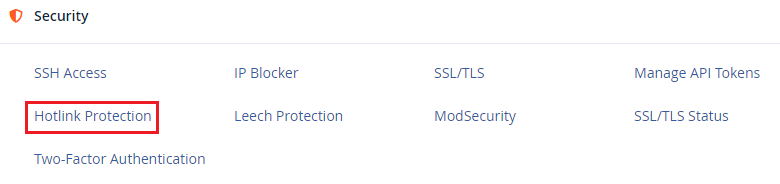
- Under the “Security” section, select “Hotlink Protection”.
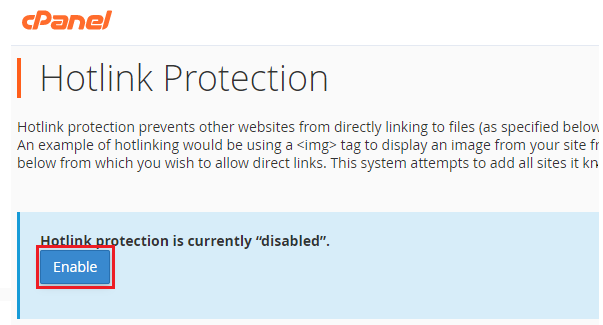
- You can see the “Enable” button. Hit this button.
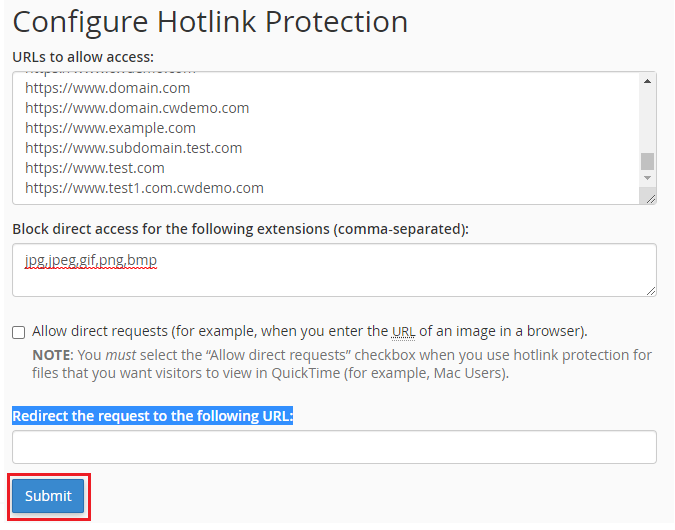
- Examine the list of authorized URLs on the page. This list will include any subdomains you have set up. Add or remove URLs as needed.
- Review the list of file types that have been prohibited. By default, the system restricts the most common image types. However, to enhance security, you can easily add any file extension here
- Check the applicable box to allow direct requests
- To begin with, enter the URL in the ‘Redirect the request to the following URL:’ box. Afterwards, to ensure proper traffic management, specify where Hotlink queries should be redirected.
- A message will appear confirming that Hotlink protection is enabled
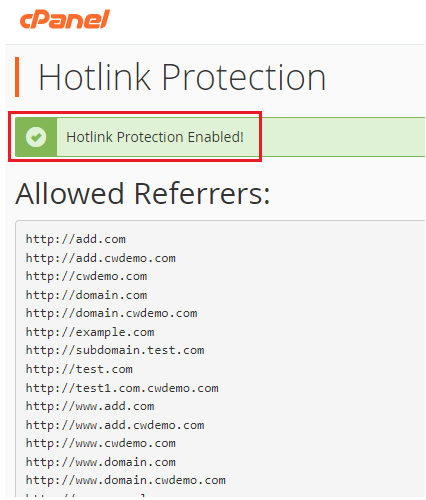
This way, you can enable Hotlink Protection using cPanel to save your bandwidth.
Web hosting is an essential aspect for your company to grow and flourish. For this reason, whenever you require assistance, our expert team is always ready to help you. That too with 24×7 service. For more details, please visit Webhosting UK and initiate a live chat.