This guide explains how to configure Plesk’s email auto-reply feature. Plesk is a web hosting control panel that allows users to manage hosting services, including email accounts.
The email auto-reply (also known as a vacation message) is used to inform senders that the recipient is unavailable automatically. These messages are typically used to:
- Notify senders about out-of-office or vacation periods.
- Provide alternative contact details.
- Confirm that the email has been received and acknowledged.
Let us follow the steps:
- Log in to Plesk.
- Select the “Websites & Domains” option from the left-hand side of the screen.

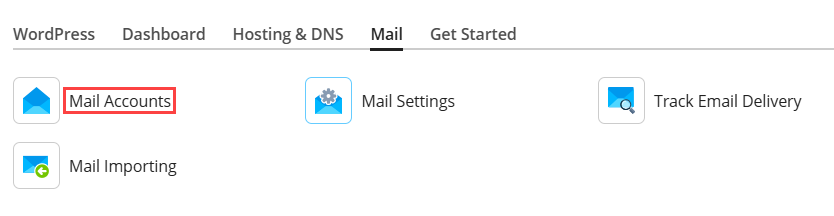
- Click on the “Mail Accounts” option.
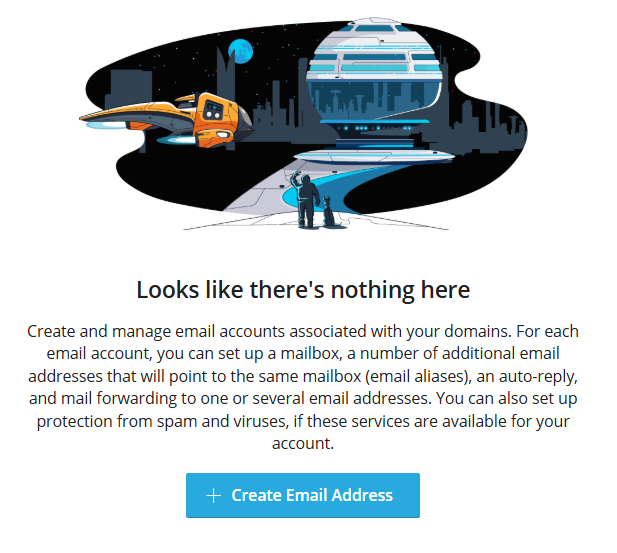
- Click on the “+Create Email Address” tab.
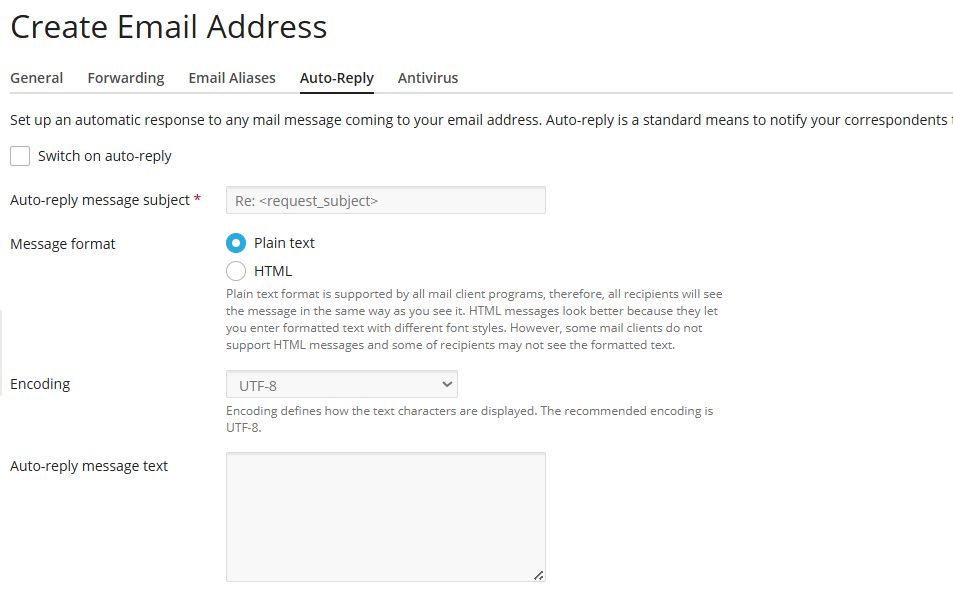
- Select the “Auto-Reply” tab.

- Fill out the fields for “auto-reply message subject, message format, and message text, then whom to forward it to, how often to do so, how to attach a file, and when to turn off auto-reply.
- Click on the “OK” button.
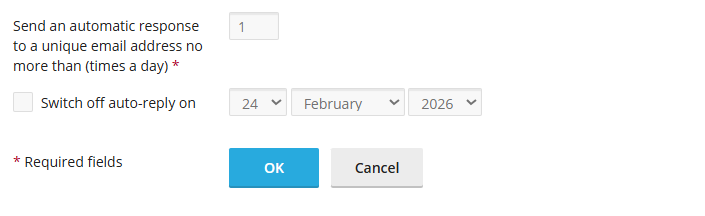
Once enabled, the auto-reply will automatically send a predefined response to incoming emails, informing senders of the recipient’s unavailability or providing relevant information. The auto-reply will automatically disable itself after the specified date range ends.