This article explains how to set security questions using WHM. You might be prompted with security questions if you are attempting to connect to WHM from a new location. This adds a layer of protection and may keep your dedicated hosting server safe.
Purpose and Impact:
Setting security questions in WHM adds an extra layer of authentication when accessing WHM from a new or unrecognised IP address. This helps prevent unauthorised access, reduces the risk of security breaches, and enhances overall server security.
Steps to set security questions using WHM:
- Log in to WHM.
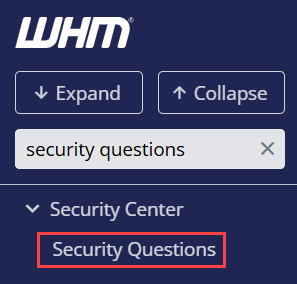
- Select the Security Center option and click on the Security Questions sub-option.
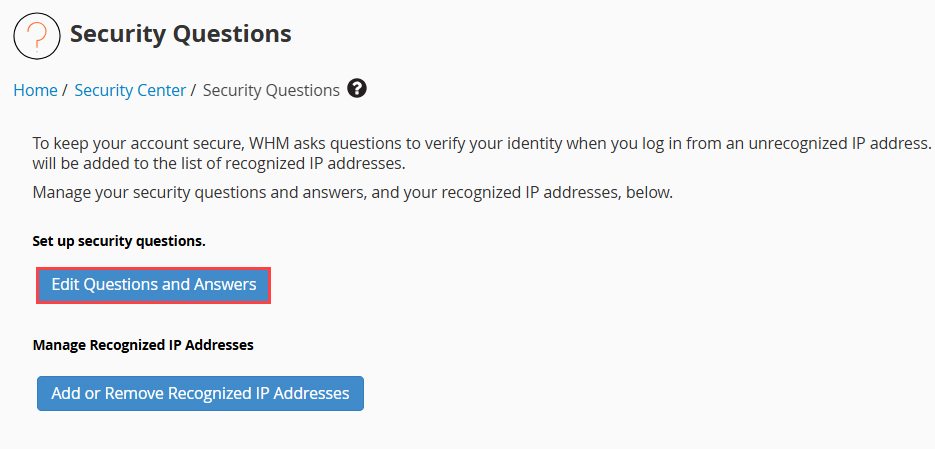
- Click on the first option, “Edit Questions and Answers”.
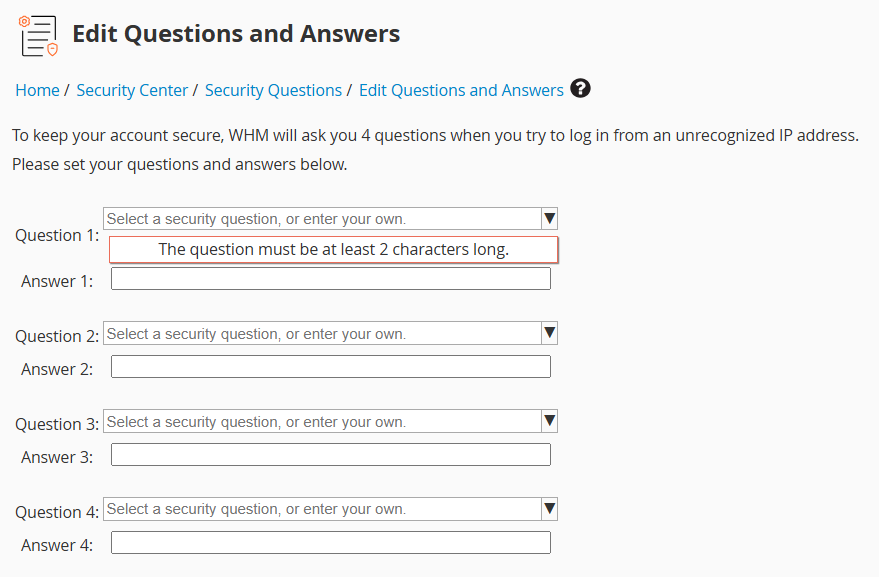
- You will get four questions as shown below. Select the questions using the drop-down arrow and answer those questions. Click on the “Continue” button.
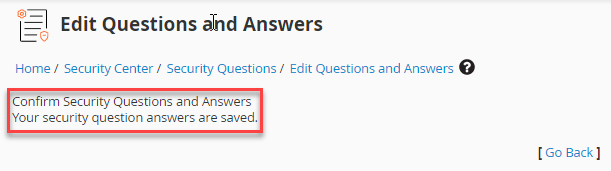
- You will get a message stating, “Your security question answers are saved.”
This way, you can set security questions using WHM. Furthermore, anyone accessing WHM from an unidentified IP address will be required to provide the answers to these four security questions in order to confirm their identity.