In this guide, we have explained how to migrate from Plesk to cPanel. Both control panels are the best in the industry. If you wish to migrate from Plesk to cPanel, it is completely your choice.
Steps to migrate from Plesk to cPanel:
- Log in to WHM.
- Find the Transfers section and click on the Transfer Tool sub-option.
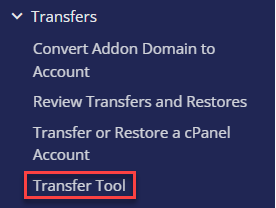
- Fill in the information.
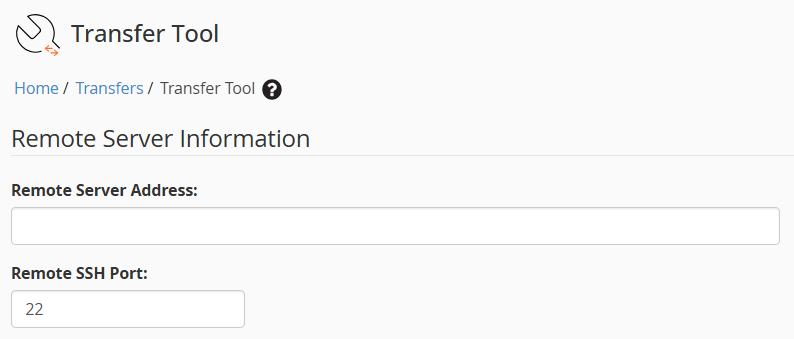
- Remote Server Information:
- Remote Server Address: Enter the IP Address of the other server.
- Remote SSH Port: Enter the remote SSH port, i.e. 22.
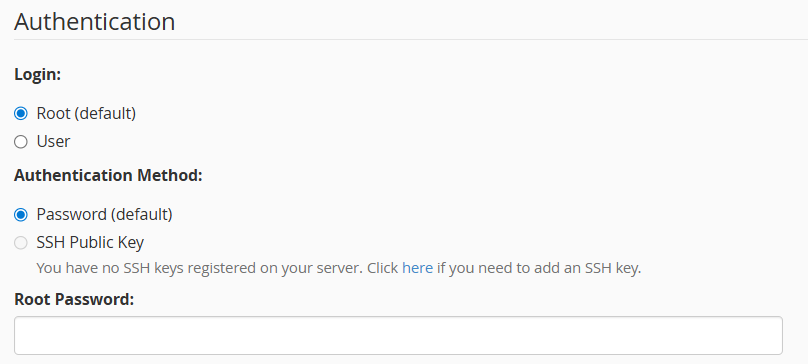
- Authentication:
- Login: Select “Root (default)” as the login.
- Authentication method: Select the authentication method, password or SSH public key. Here we will select the “Password (default)” option.
- Root Password: Enter the root password for the other server’s root user.
- Security: On the backup file, Restricted Restore runs additional security checks. The system will not restore a backup file if it contains a segment that has a security flaw. So tick the option if you want.

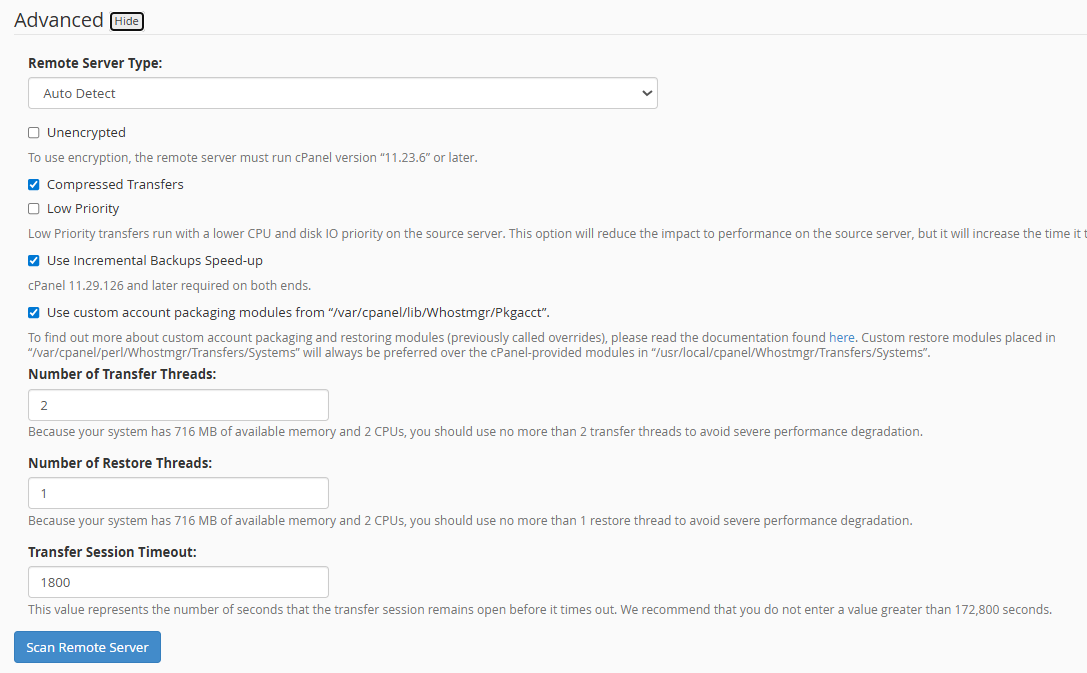
- Advanced:
- Remote Server Type: Select the remote server type as “Plesk” in this case.
- Click on the “Scan Remote Server” button.
- After the scan is complete, choose the websites you want to migrate to the server. After selecting the things we wish to migrate, click “Copy” to start the migration.
- When the migration is complete, a new page will show up to show that the data transfer and account restoration to the server have both been done.
- After the migration, we can access the “List Accounts” tab in WHM and see the account we just migrated.
- Once the progress bars for the transfer and restoration reach 100%, the Plesk to cPanel migration officially ends.
- To confirm that the chosen accounts have been moved, we can also check the “List accounts” option in WHM. Before changing the DNS to point to the new server, we can test the websites using a host file modification.
Note on Cross-Platform Migration:
For cross-platform migrations, we assist with data migration only. Since server structures and configurations differ, 100% compatibility cannot be guaranteed. Any configuration issues, such as database credentials, path differences, or application-level conflict,s must be resolved at your end, with developer assistance if required.
That is it! Hope you liked our article, and now you know how to migrate. For more information, contact our support staff whenever you require.
For instructions on migrating VPS servers, see our guide on How to migrate cPanel VPS to VPS servers.