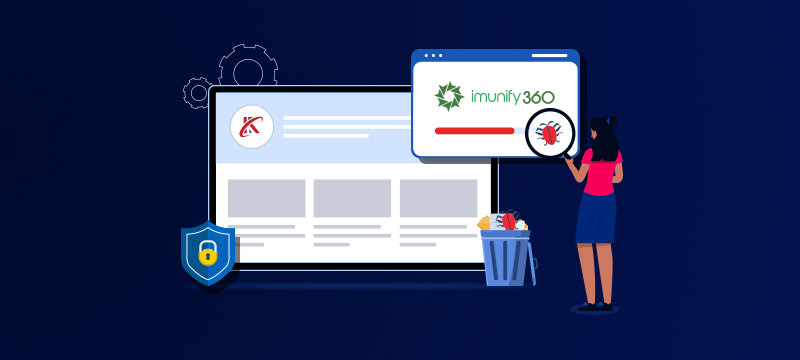
For website owners, hidden malware is a significant threat that can result in downtime, lost revenue, reputational damage, financial penalties and expensive recovery work. Imunify360 protects against this by providing a fully automated defence system that detects, removes and prevents malware infections. In this post, we explain how Imunify360 works and how it helps keep your website secure.
Contents
The danger of hidden malware
Cybercriminals don’t just target big companies; they’ll exploit any vulnerable business they can find. What’s more, by using automated bots to scan the internet for vulnerabilities, they can detect insecure websites with ease. All it takes is an outdated plugin or a weak password, and they can launch a targeted attack.
If your website is infected, the malware can alter files, redirect visitors to fraudulent websites, add malicious links or install backdoors, giving attackers remote control. Moreover, this can happen silently, so by the time you become aware, recovery could become a long and costly process.
By the time manual or scheduled scans detect malware, the damage can already be done. However, Imunify360 offers autonomous protection that continuously monitors your site and server, eradicating threats before they can cause harm.
Still using free hosting? Read: Free Web Hosting: Expensive Consequences and Hidden Security Risks
How Imunify360 detects and removes threats
Imunify360 combines multiple layers of security, each of which is designed to detect different kinds of malicious activity. These include:
- Signature-based detection: By comparing all your files against a regularly updated malware database, it can instantly identify, remove or quarantine known threats.
- Heuristic and behavioural analysis: By analysing how files behave rather than just what they contain, Imunify360 can identify new or modified strains of malware that have not yet been added to the known threat database.
- Proactive defence: Imunify360 uses AI and machine learning to detect suspicious scripts and stop them from running before they cause harm. This protects your website from ‘zero-day attacks,’ i.e., those where no patch or signature yet exists.
- Deobfuscation tools: These tools remove the hidden or encrypted code that hackers use to camouflage malware inside legitimate files.
- Reputation and blocklist monitoring: Imunify360 regularly checks whether search engines or security vendors have flagged your domain or IP address. If so, it immediately alerts you so you can take action to resolve the issue.
The benefits of automation
Imunify360 works autonomously without the need for manual intervention. When a threat is detected, infected files are immediately quarantined or deleted, the incident is logged, and admins are notified via the control panel. Importantly, these operations have no noticeable effect on your website’s performance.
While intermittent scheduled or manual scans can leave infections unnoticed for days or weeks, Imunify360 continuously scans new, modified and uploaded files as soon as they appear on the server. This prevents reinfection, stops malware spreading and keeps your website operational even during an attack.
Automation also reduces the burden on admins, as patching, vulnerability scans and cleanups happen quietly in the background. The KernelCare feature, meanwhile, automatically patches the operating system without rebooting, while PHP hardening protects older PHP versions that are still in use.
Proactive defence through shared intelligence
One of the key benefits of Imunify360 is the sharing of threat intelligence. By collecting anonymised data about attacks and infections from every server it protects, the platform can quickly recognise new attack behaviours.
Crucially, this provides herd immunity for websites, as once a new malware is identified, all Imunify360’s global users are protected against it.
Is your website secure against the latest threats? Read: AI-Powered Hacking: The New Frontier of Cybersecurity
Integration with hosting environments
Another advantage for website owners is that Imunify360 fully integrates with popular control panels, such as cPanel and Plesk. This means users can view reports, manage quarantined files and monitor security logs from within their usual dashboard, without the need for separate software.
The impact on uptime and performance
Some security tools can affect website performance by using up server resources to carry out full scans during busy periods. Imunify360 is designed to use server resources more efficiently and with minimal impact on performance.
It does this by performing incremental scans that only check newly uploaded files rather than re-examining the entire file system. It also uses advanced caching to ensure resources are used sparingly.
Don’t let poor performance affect your business. Read: How Website Speed Can Affect Revenue
Key takeaways
- Malware infections can remain undetected for long periods, causing serious security and reputational damage.
- Imunify360 uses layered detection, including signature scanning, heuristic analysis and AI-enabled proactive defence.
- Automated cleaning and patching protect against reinfection and reduce management workload.
- Shared threat intelligence provides real-time protection against new and evolving attacks.
- Integrated control panel access and lightweight performance make it ideal for shared and VPS hosting users.
Conclusion
Imunify360 is a comprehensive security solution for website owners that automatically detects, removes and prevents malware, without the need for manual intervention. By combining AI, behavioural analysis, proactive patching and shared threat intelligence, it ensures your site remains protected from threats and remains online. At the same time, the use of automation makes implementing robust security easier and less time-consuming for owners and admins.
Looking to strengthen your site’s security? To find out how Webhosting UK’s integrated Imunify360 protection keeps your website safe, clean and performing optimally, visit our Imunify360 Page.