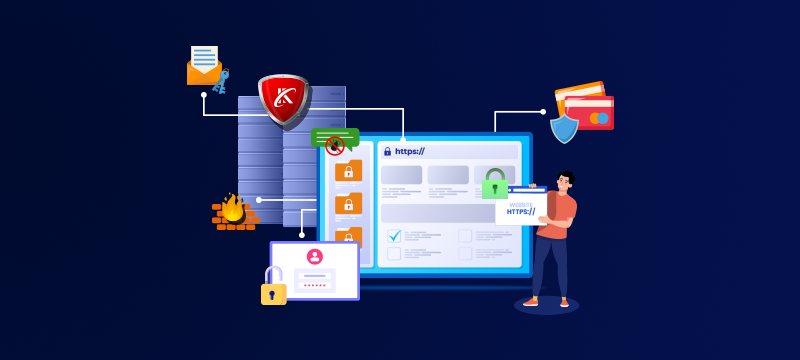
With cyberattacks becoming increasingly advanced, no website owner can afford to put security on the back burner. The good news is that you don’t need specialist know-how or expensive tools to strengthen your website security in 2026. In this post, we outline seven simple, practical steps that will help you reduce risk, keep your site online and protect your data and reputation.
Contents
- Keep your website software updated
- Strengthen logins with better authentication
- Restrict admin access and user permissions
- Rely on server-level security, not just plugins
- Protect forms, logins and checkout pages
- Back up your website daily and test restores
- Monitor activity and respond quickly
- Key takeaways
- Conclusion
1. Keep your website software updated
According to Verizon’s 2025 Data Breach Investigations Report, the exploitation of out-of-date software is responsible for 12% of website breaches. Today, attackers use automated tools that scan the web looking for sites that are running vulnerable versions of CMS platforms, plugins or themes. Indeed, Pixel Jar reports that 97% of vulnerabilities found in WordPress come just from outdated third-party plugins.
For most website owners, the simplest and safest way to prevent such vulnerabilities is to implement automatic updates, rather than relying on doing it manually.
For WordPress sites, this can be done by:
- Enabling automatic core, plugin and theme updates from the WordPress dashboard
- Using managed hosting tools, such as WP Toolkit, which handle updates and compatibility checks for you
As many website owners can take weeks to manually update software, cybercriminals often take advantage by attacking vulnerabilities within days of them becoming known. Setting up automatic updates, therefore, significantly reduces an attacker’s window of opportunity.
Before you enable auto updates, make sure that daily backups are in place. This way, your site can be restored quickly if an update causes a conflict.
2. Strengthen logins with better authentication
The Verizon report mentioned above showed that in 2025, 22% of successful attacks began with cybercriminals using stolen or reused login credentials obtained from previous data breaches. At the same time, hackers are now using sophisticated brute force tools that can crack passwords in seconds. As a result, website owners can no longer rely simply on password/username login credentials.
To reduce risk, you should:
- Use strong and different passwords for your hosting, CMS and email accounts
- Enable two-factor authentication (2FA) on admin and control panel logins
- Limit login attempts on your firewall to block automated brute-force attacks
For most users, 2FA can be enabled quickly via your control panel or using a plugin. App-based authenticators, like Google or Microsoft Authenticator, are regarded as very secure options. Besides being less of a burden to use, these apps also block automated attacks.
3. Restrict admin access and user permissions
Human error, privilege misuse and social engineering played a part in 68% of data breaches in the last year. With many websites having more admin-level users than necessary, the risk can be significantly reduced by reviewing access permissions and limiting admin access.
During a review, you should:
- Delete old or unused accounts.
- Remove admin access for anyone who does not need it, reassigning them to more appropriate roles, e.g., author, editor or contributor.
- Prevent the use of easily guessed usernames, such as ‘admin’ or the company name.
The rise in supply chain attacks means that businesses working with agencies or freelancers should only grant access for the duration of the work. Once the work is complete, access should be removed.
The same rule should be adopted for staff, permanent and temporary, who leave the business. This prevents forgotten accounts from becoming an entry point in the future.
4. Rely on server-level security, not just plugins
Security plugins can be useful, but most of them, including Wordfence and All-In-One Security, only analyse traffic after it has reached your server. While these are an important layer of website security, you should also use server-level protection to stop threats earlier.
Effective server-level security includes:
- Web application firewalls that block malicious traffic automatically
- Malware scanning with automatic detection and cleanup
- Protection against brute-force and bot-driven attacks
- Continuous threat monitoring
Many managed hosting plans come with these server-level security features included. You can also use server-level security tools, such as Imunify360, which provides six layers of website security, including firewall, intrusion prevention, malware scanning and automated vulnerability patching.
For website owners lacking technical experience, choosing managed hosting, where protection is taken care of by the provider, can be more effective than trying to do it yourself.
Not got a managed hosting plan? Read: The Future of Managed Hosting: AI Tools That Will Power Websites in 2026
5. Protect forms, logins and checkout pages
Forms have become a major attack vector, particularly for e-commerce and lead-generation websites. Cybercriminals use automated bots to target login pages, contact forms and checkout processes, injecting malicious code to carry out formjacking, SQL-injection and cross-site scripting (XSS) attacks.
To reduce risk:
- Ensure SSL encryption is enabled across the entire site
- Protect login and form pages with bot detection and rate limiting
- Monitor failed login attempts and repeated form submissions
6. Back up your website daily and test restores
Backups are an intrinsic element of modern security as they are the only way to ensure you can restore your site quickly in the event of a cyberattack or other form of disaster.
For most websites, an effective backup solution should include:
- Daily automated backups
- Remote storage, so backups are not affected if something goes wrong with your server
- Multiple restore points, so you can recover from the most appropriate point in time.
- Occasionally test restores to confirm backups work as expected. Some modern solutions now test backup integrity for you.
Looking for an effective backup solution? Read: Cloud Backups – The Best Way to Protect Website Data
7. Monitor activity and respond quickly
Website security is an ongoing task that requires consistent monitoring in order to detect threats early before they cause significant issues.
Today’s monitoring tools are increasingly advanced, with many of them carrying out tasks automatically to keep your site safe. However, it is important that they are configured to send alerts for unusual login behaviour or incidents when malware or file changes are detected, so that any manual actions can be implemented quickly.
Website owners should also be prepared for an attack and should have protocols in place for responding to issues.
Keep your site free from infection, read: How to Automatically Detect and Remove Malware from Your Website with Imunify360
Key takeaways
- In 2026, most website attacks will target basic weaknesses, such as outdated software, weak logins and excessive access permissions
- Automatic updates and daily backups significantly reduce risk without being burdensome
- Two-factor authentication offers one of the easiest and most effective ways to prevent account takeover
- Server-level security helps block threats before they reach your website, reducing reliance on plugins
- Monitoring and early response are critical, as modern attacks are fast and largely automated
Conclusion
While website security is essential, it doesn’t need to be difficult to implement. By automating software updates, strengthening logins, restricting access and maintaining reliable backups, you can protect your website from today’s most common threats. Hand in hand with the server-level protection provided by your web host, these steps can make your website significantly more secure in 2026.
Looking for a web host that puts security, performance and reliability at the heart of its hosting solutions? Rated 4.9 out of 5 by our customers, find out more about our Shared Hosting and WordPress Hosting plans.