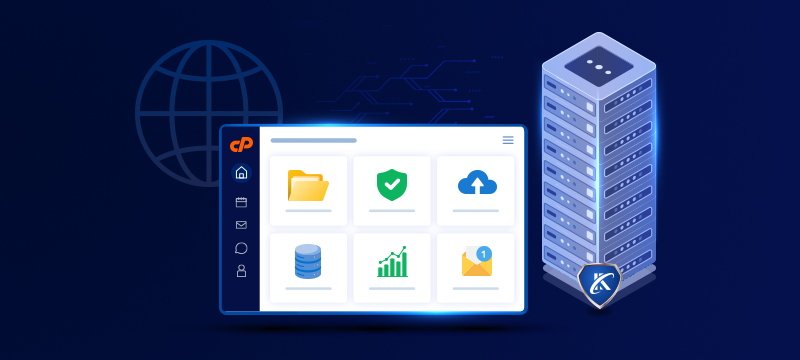
Creating and updating content is only part of the job of running a website. You may also need to set up email accounts, upload files, or carry out various other tasks to manage your site. cPanel hosting, with its wide range of tools and graphical interface, makes all these actions simpler, reducing the need for command-line instructions. In this post, we take a detailed look at what cPanel hosting offers and who it is right for.
Contents
What is cPanel hosting?
cPanel hosting is web hosting that comes with the cPanel control panel included. While the web hosting provides the server space and computing resources to keep your site online, cPanel provides the interface to manage the site and your hosting service. The features available on your hosting plan and the limits on their use can vary, depending on your provider and plan.
Accessible via a web browser, the cPanel hosting control panel brings together helpful website, email, file and database tools, enabling you to manage your hosting account in one place, using intuitive menus and forms. For small business owners, freelancers and beginners, this makes it easier to carry out routine changes.
Of course, shared cPanel hosting does not mean you are left to maintain the entire server or fix every hosting problem yourself. The physical server is managed by the web host, while the technical support team can help with hosting issues covered in your plan.
Managing website files
An important tool you can access using cPanel is File Manager. You can use this to browse your website’s folders, upload files, rename them and make basic edits. For instance, you might need to upload a file from Google to verify your ownership, so you can use services like Search Console.
You can also use cPanel to create FTP (File Transfer Protocol) accounts, where available. These allow you to transfer files using different software, which can be useful if you or a developer needs to upload several files together.
Another area you can manage with cPanel is file permissions. These control who can read, change or run files. This can help keep files private and prevent unauthorised users from modifying them.
Before replacing a live file, make a backup copy. For the upload process, read How to Upload a File Using cPanel File Manager
Managing email accounts
If email is included in your hosting package, you can use cPanel to create mailboxes using your domain name. This lets you create professional email addresses, such as [email protected]. In addition, you can change passwords, check mailbox storage and access the settings needed to connect to email clients, like Outlook or Apple Mail
You can also use cPanel to set up forwarders that redirect your email to a different address, or autoresponders that send prewritten, automatic replies to incoming mail, such as out-of-office messages.
Managing domains and redirects
Depending on your plan, you can use cPanel to add new domains or create subdomains, such as shop.yourbusiness.co.uk. However, adding a domain to cPanel only prepares your hosting space for it. Before it goes live, the domain needs to be registered and the DNS settings correctly configured.
Your DNS settings are a set of records that connect your domain to your website and email services. These ensure that visitors can access your website and that email arrives in your inbox. If you buy your domain and hosting together, your provider may configure these settings for you. Provided your host manages your DNS, you can use cPanel to make changes if needed later. If not, you will need to make the changes with the provider that does.
Redirects are another feature of cPanel. These allow you to send visitors from one web address to another. For example, if you’ve deleted an old page, you could redirect those trying to visit it to a new page.
Managing databases
Many websites, including those built with WordPress, require a database to store pages, user accounts and settings. Not only can you create databases in cPanel, but you can also create database users and set up their login credentials. These login details are separate from those used to access your website and, for security, should have different passwords.
Another cPanel tool is phpMyAdmin, which enables you to view and manage the database’s contents. phpMyAdmin can be useful for importing data during a migration or for exporting a copy of your database before making changes. Our guide explains how to access phpMyAdmin in cPanel.
Backups and security tools
The backup and security options available within cPanel can vary, depending on your hosting provider and your package. However, you may be able to download backups, install an SSL certificate or add password protection to your folders. Additionally, some providers include malware scanning and additional login protection.
While cPanel may have backup tools, this does not mean backups are taken automatically. You should check with your provider whether it takes backups, and if so, how often, what is included and how long the copies are kept. You should also check if you can restore your website through cPanel or whether the support team needs to do this for you.
What cPanel does not mean
While cPanel lets you manage many aspects of your website and hosting, on shared hosting plans, the provider is responsible for managing the underlying server. This means tasks such as maintaining the operating system or changing settings that affect other customers are carried out by the host.
Who is cPanel hosting suitable for?
cPanel web hosting suits small businesses, freelancers and website owners who want control over their day-to-day admin but without the technical burden of managing the server infrastructure. It’s also highly suitable for those who run WordPress and other CMS websites.
With its intuitive user dashboard, cPanel offers a familiar set of self-service controls that make it easy for individuals and teams to navigate. Moreover, aside from providing a wealth of helpful tools, it comes with built-in hints and, in some cases, setup wizards to make tasks less challenging, especially for beginners.
If you are considering UK cPanel hosting services, it is important to look beyond the dashboard. In particular, check whether the storage, website allowance, technical support and recovery arrangements meet the needs of your business.
Conclusion
cPanel hosting provides website owners with a highly practical way to manage their website files, email, domains and databases from a single account. cPanel’s wide range of tools and built-in guidance streamline and simplify routine admin tasks for users. With shared hosting, the host takes care of server administration. Together, these allow website owners to focus on their business. However, before choosing a plan, it is important to check the tools, resources and support included.
With a range of plans to suit different needs, Webhosting UK’s cPanel Hosting includes email hosting, 24/7 technical support, daily backups, built-in security and more.